Train spoken English every day: speak aloud, get corrections and make useful language automatic.
Registration takes about 30 seconds.
Muscle memory, not busywork
Stop collecting words. Start training speech.
Our Power English App is not a picture game and it does not reward you for tapping through vocabulary. Every exercise asks you to do the work that creates speaking ability.
Listen & repeatAnswer aloudTranslateParaphraseUnderstand real speechTrain pronunciation
The result: your ears recognize English faster, your mouth learns how it feels, and useful language becomes available when you actually need to speak.
Learn useful phrases in contextAnswer aloud and train real speech
Active practice that rewards real work
Speak aloud. Build progress you can use.
The app listens while you practise and turns consistent learning into new opportunities for personalized study.
01
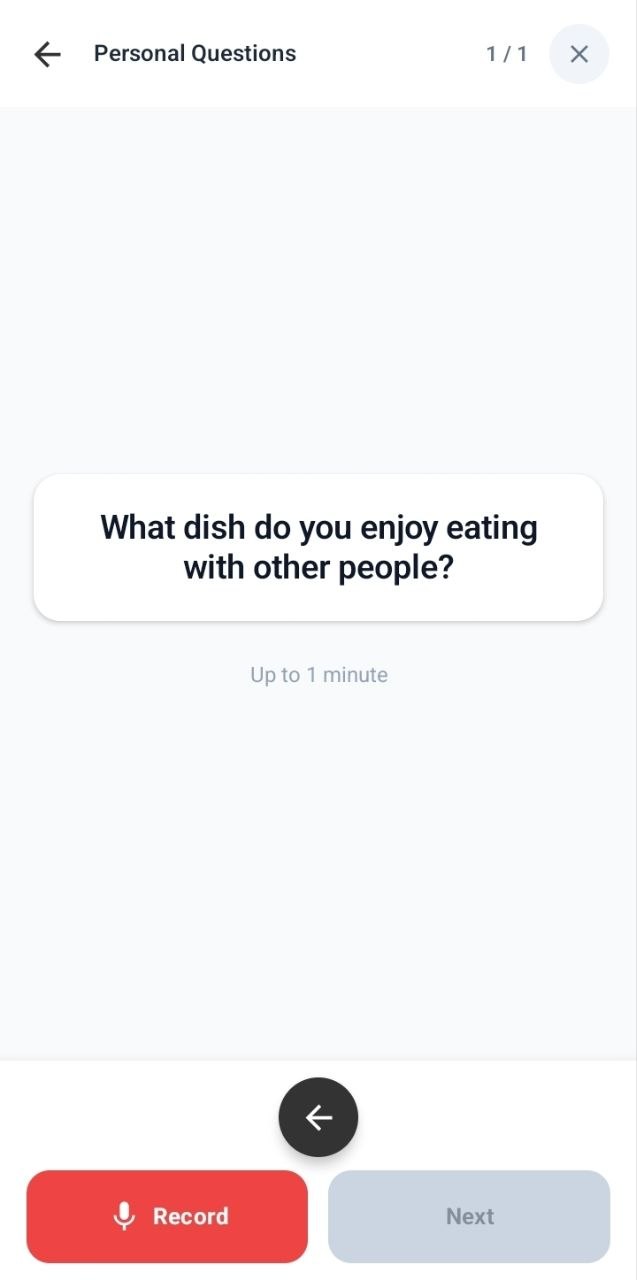
You speak into the microphone. The app listens.
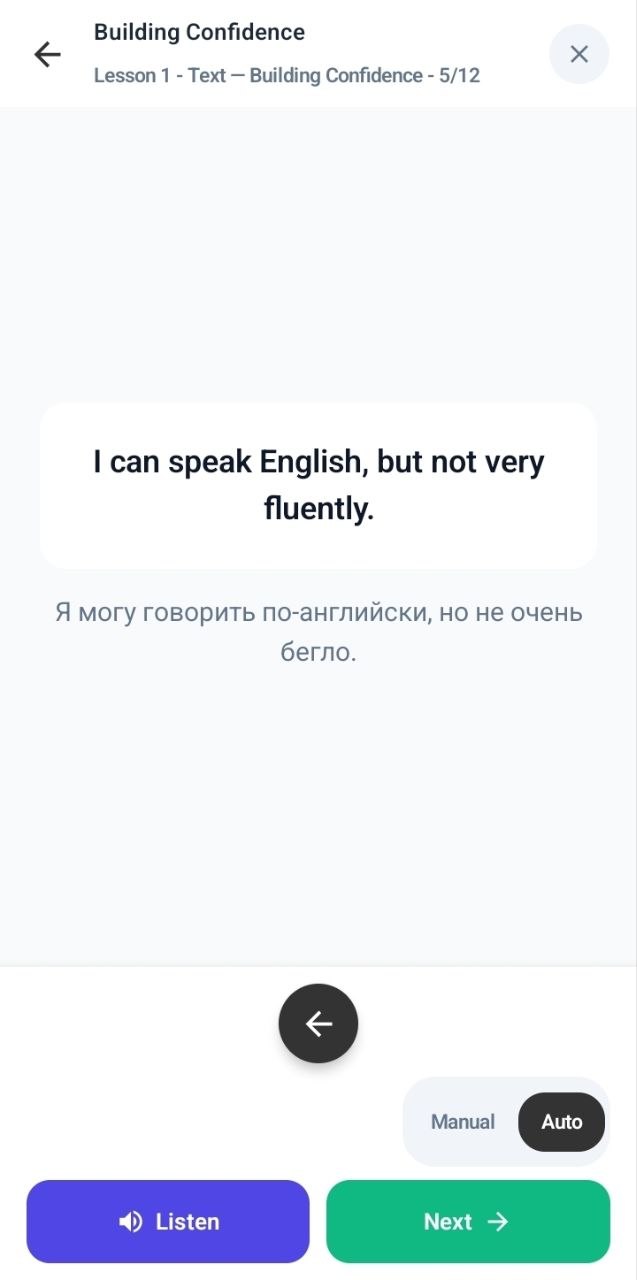
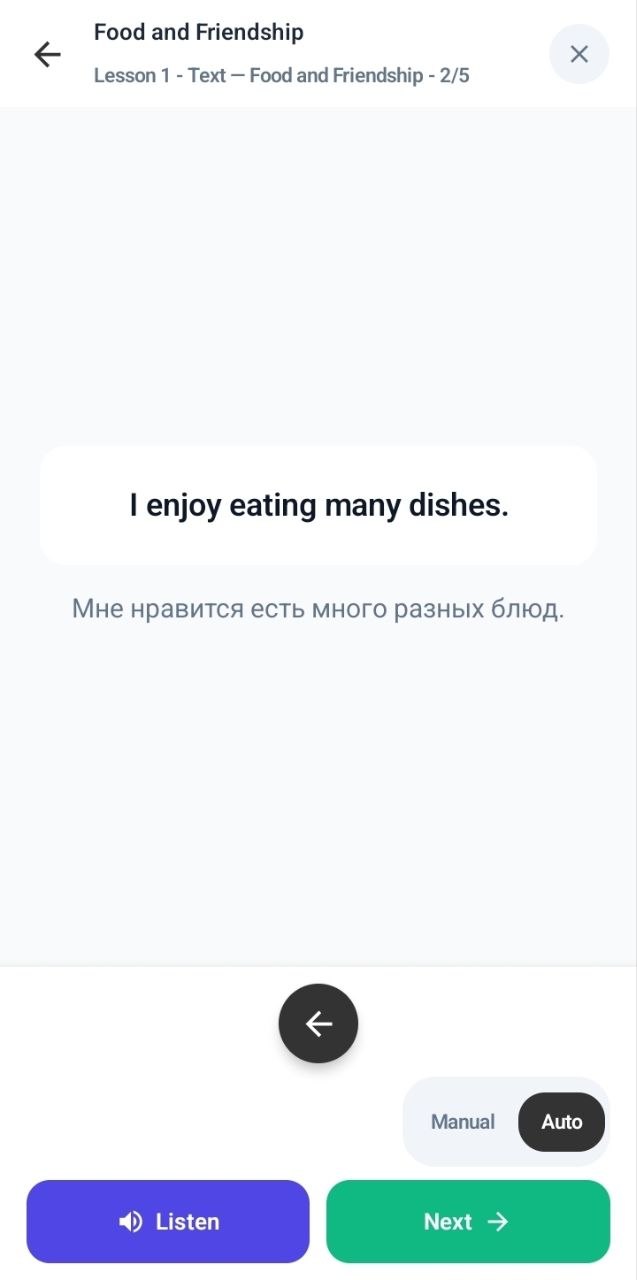
Repeat phrases and sentences aloud. The microphone keeps practice active: you speak English yourself, training your speech and listening together.
Speak the English yourself
Practise in automatic or manual mode
Train your mouth and your ear together
Say it aloud — the app is listening
02
Earn Power Points and turn progress into personal lessons.
Your learning activity earns Power Points and moves you through the ranks. Reach reward milestones to receive AI Credits automatically, then use them to create personalized lessons around your topics, speech and mistakes.
See your Power Points and current rank
Receive AI Credits automatically at reward milestones
Use AI Credits for new personalized lessons
Your work becomes visible progress
Why the training works
Five ways we build your speaking skills
01
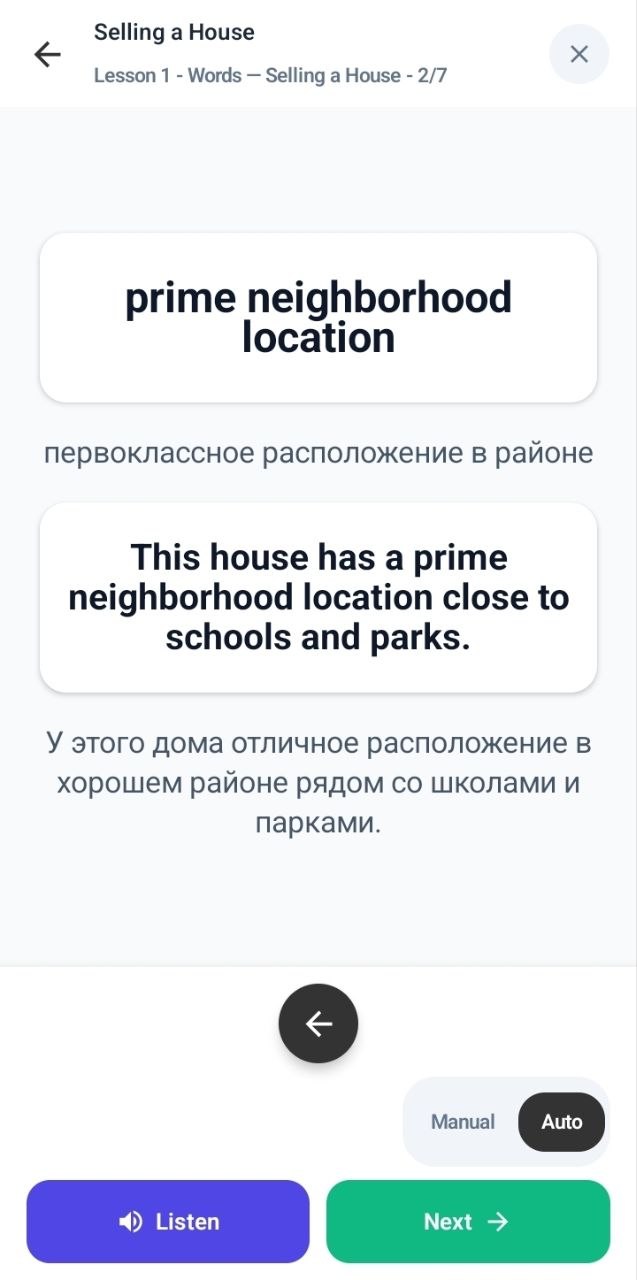
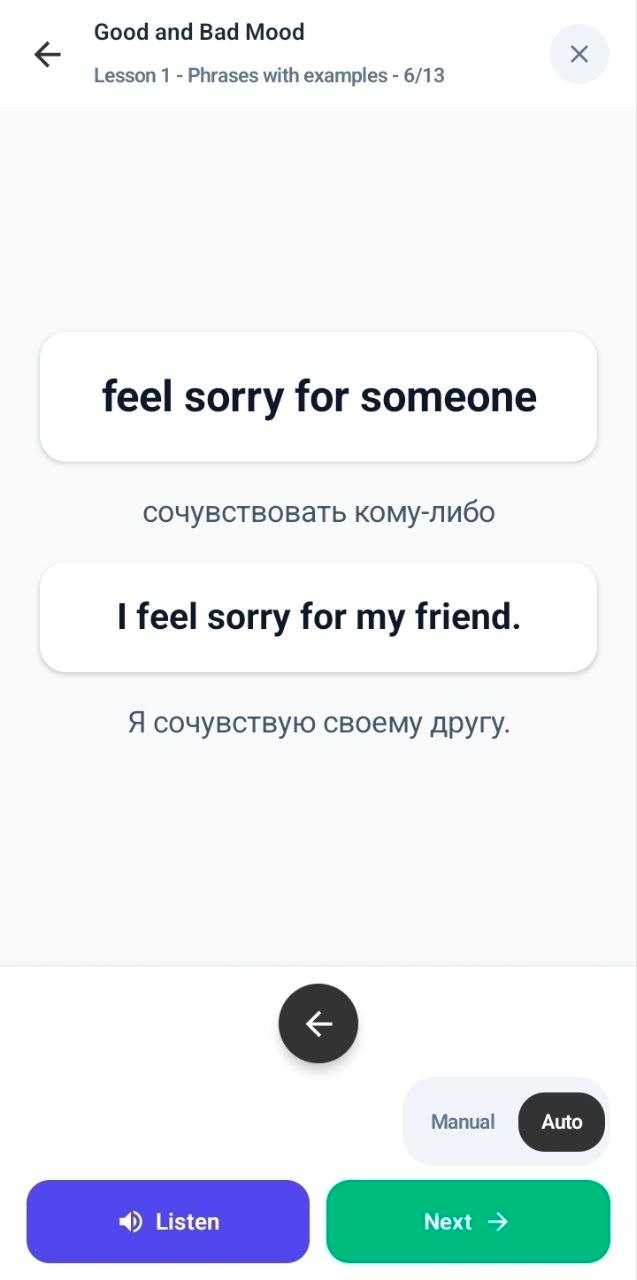
Learn useful phrases
Ready-to-use language in a natural sentence — such as “feel sorry for someone”.
02
Listen and speak
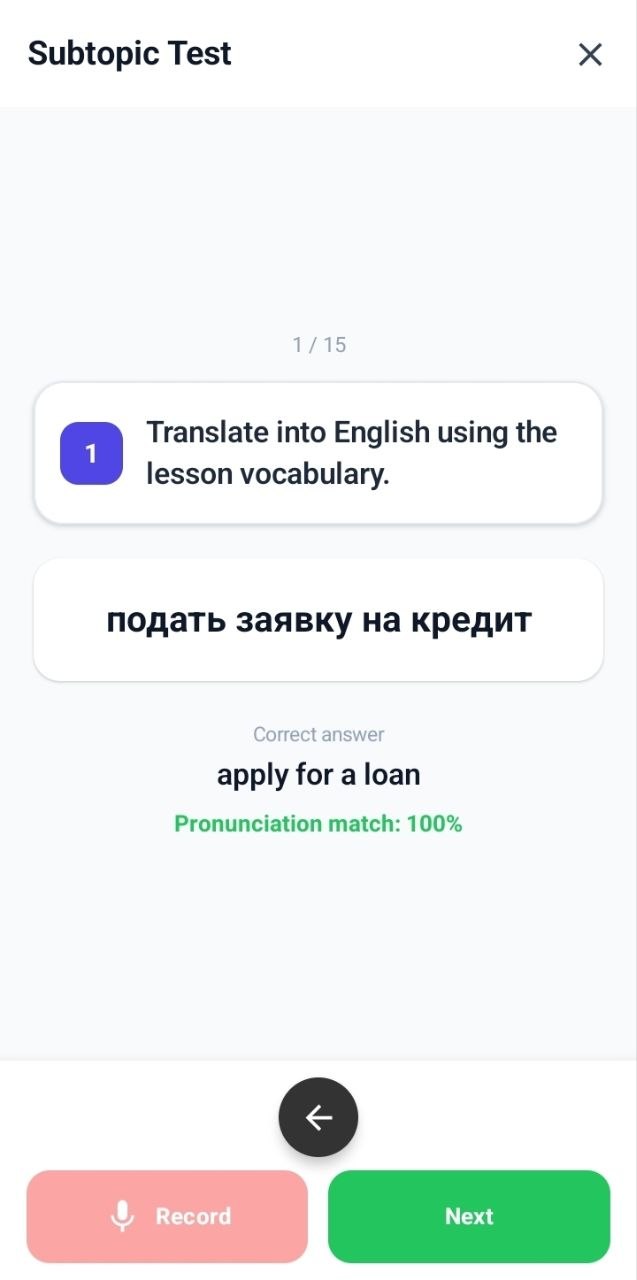
Repeat, answer, translate and paraphrase aloud. Every task makes you use your voice.
03
Build automatic speech
Meet the same language in different speaking tasks until it comes without a long pause.
04
Get feedback and test yourself
See corrections, understand mistakes and prove what you can say in a spoken test.
05
Create lessons for yourself
Turn your own topic, speech or corrected answer into personalized practice.
Listening comprehension
Understand real English, not only studio-perfect speech
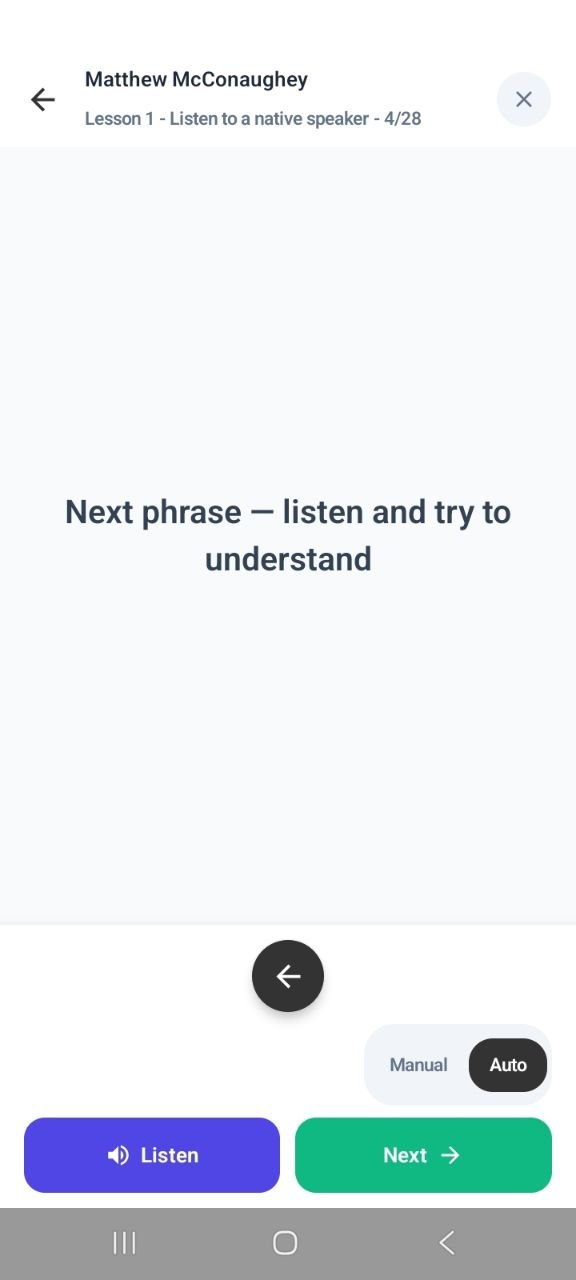
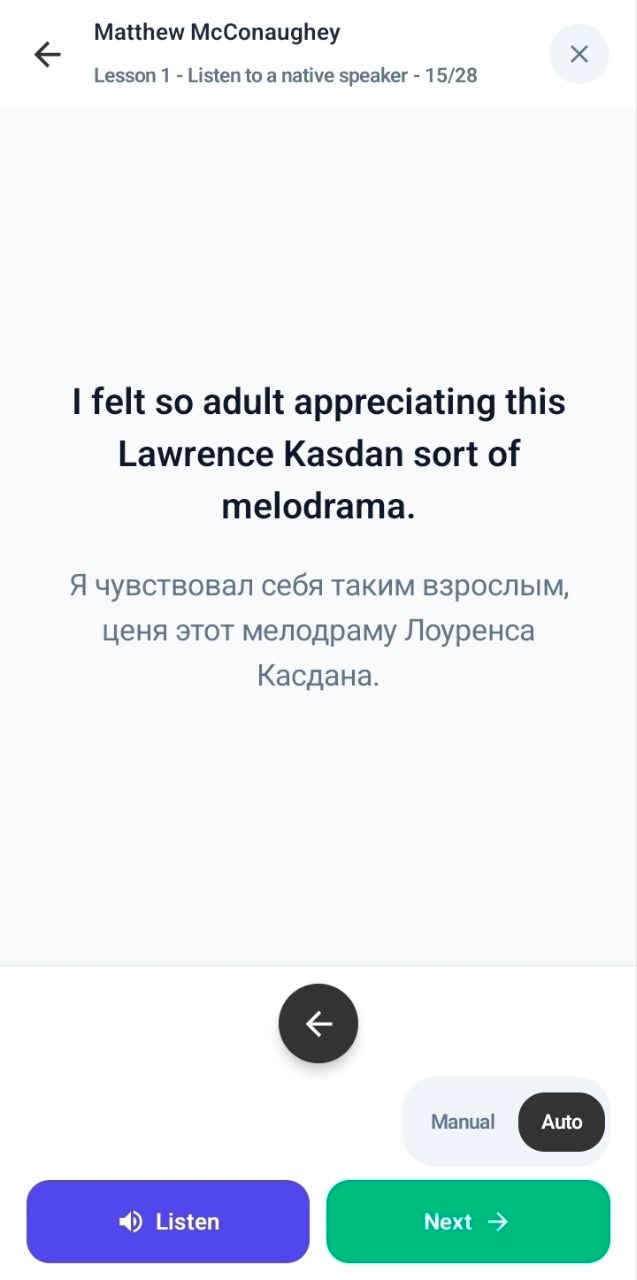
Train with real speakers and different accents. First, listen to a fragment without text. Then listen with the text. Read the text aloud, imitating the native speaker's pronunciation. Finally, listen to the fragment again without text.
You do not just read the answer.You teach your ear to recognize the same sounds in real conversation.
First, rely on your earsThen make difficult speech clear
Your English becomes the curriculum
Two ways AI builds lessons around you
Choose what you want to say. Our Power English App turns it into structured practice instead of giving everyone the same generic content.
01
Request Flow
Name a topic. Choose your level. Pick the phrases.
Ask for language you need for work, travel, a hobby or a real conversation. We suggest level-appropriate phrases; you choose the useful ones and receive 3 personal lessons and 2 tests to practise them.
Your topic, from A1 to C2
You control which phrases enter the lessons
3 personal lessons and 2 tests built around your phrases
Choose a level and describe your topic
Use voice or text to tell the app which topic you need English phrases for.
Choose useful phrases
Review 10 suggested phrases. Select 3–10 for your lessons, or ask for more phrases.
Create and practise
Create 3 personal lessons and 2 tests from your selected phrases.
02
Improved Answer Flow
Answer aloud. See your mistakes. Train the correction.
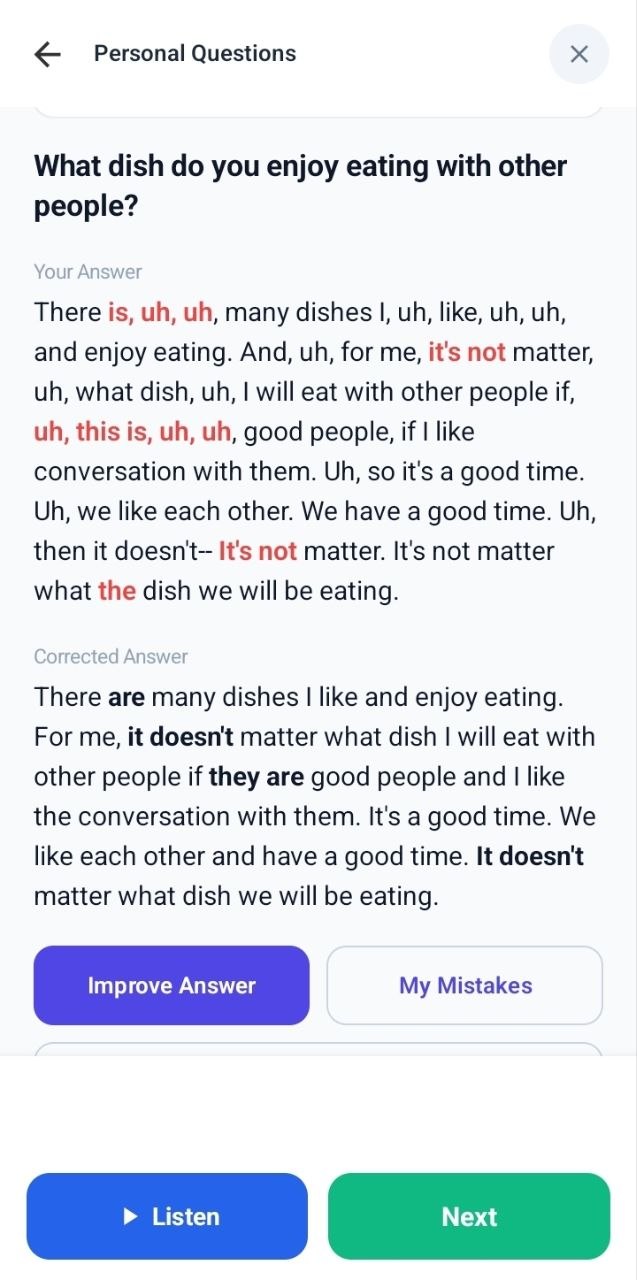
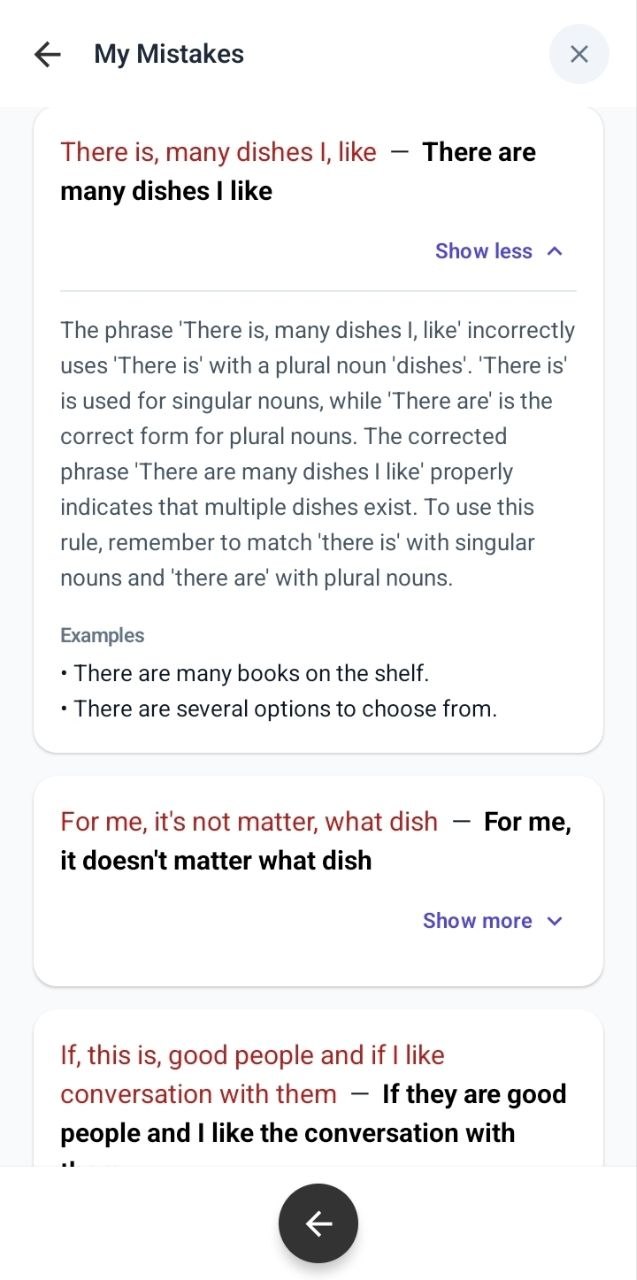
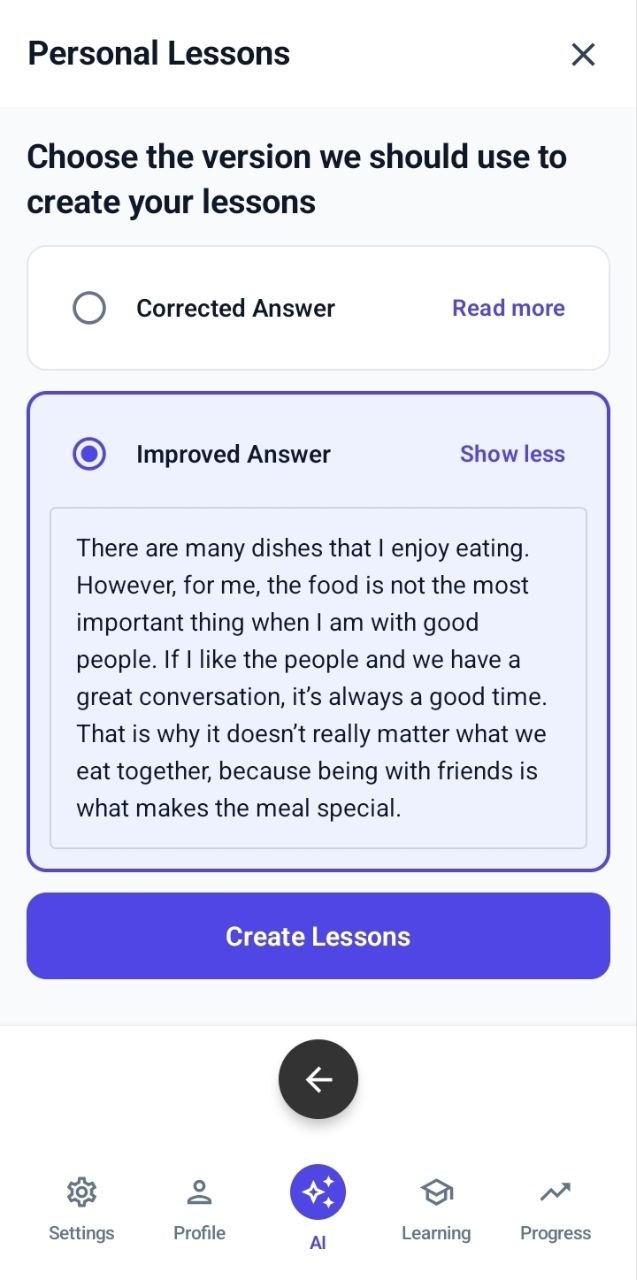
Respond to a real question in English. The app shows your original speech, corrects it, explains each mistake and prepares a stronger natural answer. Then it can build lessons from that improved language.
Your answer is transcribed, not reduced to a score
Every correction comes with a clear explanation
The language you got wrong becomes future practice
1 Compare what you said with the correction2 Understand why each part was wrong3 Turn your improved answer into lessons
A complete speaking-training system
Every feature has one job: make English usable
You still learn vocabulary, patterns, grammar, texts and questions — but you learn them through speech, sound and active recall.
◉
You have to speak
Repeat phrases, answer questions, translate aloud, paraphrase and train articulation. Passive tapping cannot complete the work for you.
♫
Everything is voiced
Listen before you speak. Train pronunciation and listening comprehension with clear audio throughout the lesson.
US
American or British
Choose the English you need. Lesson audio, pronunciation practice and personal content follow your accent setting.
▤
Prepared lesson library
Work with words in phrases, patterns instead of abstract rules, texts, videos, speaking prompts and listening practice.
✓
Spoken tests
Use preparation and final tests to prove that you can say the language — with pronunciation feedback and visible results.
↻
Revision and offline study
Previously learned language returns for active recall, while downloaded lesson groups remain available without internet.
One place for the whole process
Learn it. Say it. Test it. See the progress.
Prepared courses give you a path. Personalized AI lessons give you relevance. Spoken tests show whether the language is really available, and Progress keeps the evidence together.
Prepared contentVocabulary, phrase patterns, texts, video, listening and pronunciation.
Personal contentYour requests, speech and corrected answers become lesson material.
Power Points and ranksFollow your rank, earn AI Credits automatically at reward milestones and use them for personalized lessons.
No 25-screen onboarding
Register in about 30 seconds. Start training.
By the time another language app finishes asking questions, you could already be inside your first lesson.
01
Create an account
Name, email and password. No questionnaire, no payment card and no ten-minute detour.
02
Download Android
Sign in to your website account and download the Android installation file from your account.
03
Choose your English
Select your level, interface language and American or British pronunciation.
04
Start speaking
Open prepared lessons or create practice from language you personally want to use.
Start training today
Get three days of speech training free.
Register in about 30 seconds, confirm your email, download the Android app and start your first lesson.
Android users only. iPhone is not supported yet.
Your voice, handled carefully
Speaking practice should feel safe
Voice features require explicit consent. Source recordings are removed automatically according to the retention policy, and you can withdraw consent from the app.
Consent first Nothing is recorded before you agree.
02
Limited retention Source audio and temporary files are automatically deleted.
03
Your control Withdraw consent or delete your account from Settings.
Choose your pace
Plans that grow with your practice
These are the current Google Play subscription prices.
Loading plans…
Prices are shown in USD per month. Purchase and subscription management are available in the Android app through Google Play.
Good to know
Common questions
Still unsure? Write to us and a real person will answer.
Do I need a card to create an account?
No. Registration creates the same Student account you use in the Android app.
Where can I purchase a paid plan?
Paid plans are purchased and managed in the Android app through Google Play.
Can I cancel a subscription?
Yes. Cancellation stops the next renewal; paid access continues until the end of the current billing period.
Does the app work on iPhone?
Not yet. The current version is available only for Android phones and tablets.
Where can I download the app?
Create an account or sign in on this website. Open your account, tap Download app, and follow the installation instructions. Use the same email and password in the app.
Questions, billing or support
We are here to help.
For app support, privacy requests, subscription questions or school access.